We all know that there are a many ways to auto number entity records in Dataverse.
There are a number of 3rd party products that you can use. There is also a facility in the current XrmToolbox suite of applications that lets you configure entity records auto numbering.
If you want to develop your own plugin to do this, here is some code that you can use.
using System;
using System.Collections.Generic;
using System.Linq;
using System.Text;
using System.Threading.Tasks;
using System.ServiceModel;
using Microsoft.Xrm.Sdk;
using Microsoft.Xrm.Sdk.Query;
using Microsoft.Xrm.Sdk.Metadata;
using Microsoft.Xrm.Sdk.Client;
using Microsoft.Xrm.Sdk.Messages;

namespace CRMPlugin
{
    public class clsEntityAutoNumberPlugin : IPlugin
    {
        private string _unsecureString = "";
        private string _secureString = "";

       public clsEntityAutoNumberPlugin(string unsecureString = "", string secureString = "")
        {
            _unsecureString = unsecureString;
            _secureString = secureString;
        }

        public void Execute(IServiceProvider serviceProvider)
        {
            // Obtain the tracing service
            ITracingService tracingService =
            (ITracingService)serviceProvider.GetService(typeof(ITracingService));

            // Obtain the execution context from the service provider.
            IPluginExecutionContext context = (IPluginExecutionContext)
                serviceProvider.GetService(typeof(IPluginExecutionContext));

            // The InputParameters collection contains all the data passed in the message request.
            if (context.InputParameters.Contains("Target") &&
                context.InputParameters["Target"] is Entity)
            {
                // Obtain the target entity from the input parameters.
                Entity entity = (Entity)context.InputParameters["Target"];

                // Obtain the organization service reference which you will need for
                // web service calls.
                IOrganizationServiceFactory serviceFactory =
                    (IOrganizationServiceFactory)serviceProvider.GetService(typeof(IOrganizationServiceFactory));
                IOrganizationService service = serviceFactory.CreateOrganizationService(context.UserId);

		        try
                {
                    if (_secureString != "")
                    {
                        string strFieldName = "";
                        string strPrefix = "";
                        string strDecimalPlaces = "";
                        string strCurrentRecordNumber = "";

                        // Get Auto numbering Parameters from SecureString.
                        string[] strTokens = _secureString.Split(',');
                        strFieldName = strTokens[0];
                        strPrefix = strTokens[1];
                        strDecimalPlaces = strTokens[2];

                        // Get Current Record Number.
                        strCurrentRecordNumber = GetCurrentRecordNumber(service, entity.LogicalName, strFieldName);
                        strCurrentRecordNumber = strCurrentRecordNumber.Replace(strPrefix, "");
                        int iCurrentNumber = int.Parse(strCurrentRecordNumber) + 1;

                        // Generate and save new Auto Record Number.
                        int iDecimalPlaces = int.Parse(strDecimalPlaces);
                        string strNextNumber = iCurrentNumber.ToString("".PadLeft(iDecimalPlaces, '0'));
                        entity[strFieldName] = strPrefix + strNextNumber;
                        service.Update(entity);
                    }
                }
                catch (FaultException<OrganizationServiceFault> ex)
                {
                    throw new InvalidPluginExecutionException("An error occurred in clsEntityAutoNumberPlugin.", ex);
                }
                catch (Exception ex)
                {
                    tracingService.Trace("clsEntityAutoNumberPlugin: {0}", ex.ToString());
                    throw;
                }
    	    }
	    }

        // ********************************************************************
        public string GetCurrentRecordNumber(IOrganizationService p_service, string p_strEntityName, string p_strFieldName)
        {
            string strCurrentRecordNumber = "0";

            string fetchXML = string.Format(@"<fetch top='1'>
                                                <entity name='" + p_strEntityName + @"'>
                                                    <attribute name='atia_eventno' />
                                                    <order attribute='atia_eventno' descending='true' />
                                                </entity>
                                              </fetch>");

            EntityCollection entRecord = p_service.RetrieveMultiple(new FetchExpression(fetchXML));
            if (entRecord.Entities.Count > 0)
            {
                if (entRecord.Entities[0].Contains(p_strFieldName)) strCurrentRecordNumber = entRecord.Entities[0][p_strFieldName].ToString();
            }

            return(strCurrentRecordNumber);
        }
    }
}
The code is pretty straight forward.
Firstly, the plugin retrieves the Secure and UnSecure strings from the registered plugin step.
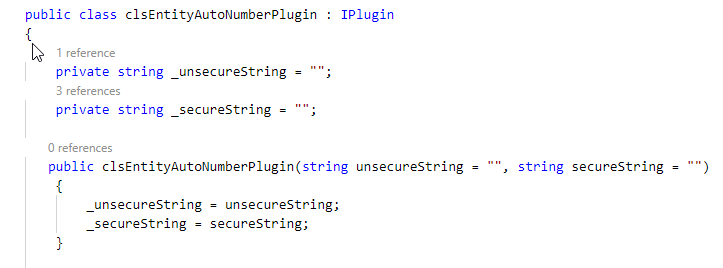
The Secure string for the entity step configured using the Plugin Registration tool needs to have a string formatted as follows:
<Entity Field Name>,<Prefix>,<Decimal Places>
eg. atia_contactno,CO,8
As you can see from the content, the string defines the name of the field that will store the record number, the prefix for the record number and the number of leading zeroes the record number will display.
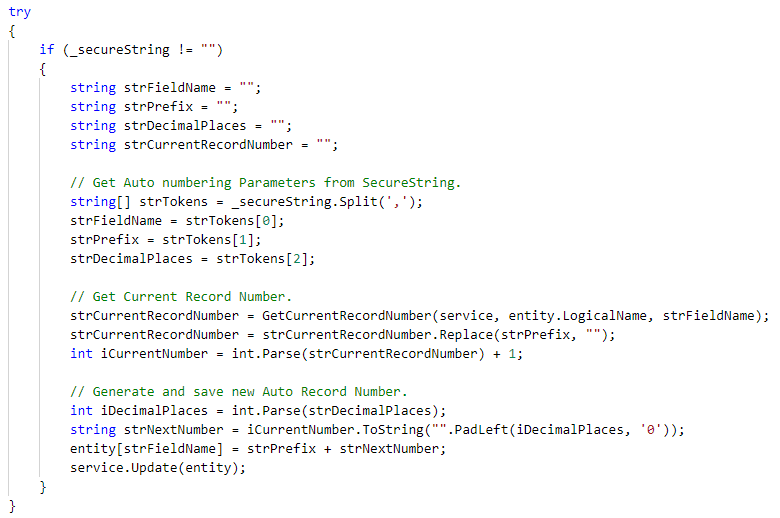
Next, when a new record is created, the following steps are executed:
- Retrieve the tokens from the Secure string
- Get the latest record number from the field identified by the strFieldName string token which will be the largest record number by value
- Remove the prefix string from the latest record number string using the strPrefix string token which leaves just the numeric part of the latest record number
- Increment the current record number by 1
- Create a new next record number string by using the strDecimalPlaces value to reformat the current record number with the number of leading zeroes determined strDecimalPlaces value
- Add the strPrefix string token to the beginning of the next record number string
- And save to newly created next record number string into the field defined by the strFieldName string of the newly created record.
That’s pretty much it.
Get a copy of the code above and use the the information in blog post How to Develop a Dynamics 365 CRM Plugin without Visual Studio to create the Dataverse plugin and you now have your own record auto numbering facility for Dataverse and Dynamics CRM instances.
 Atia Solutions